

Install
One command starts the whole platform on your own machine.
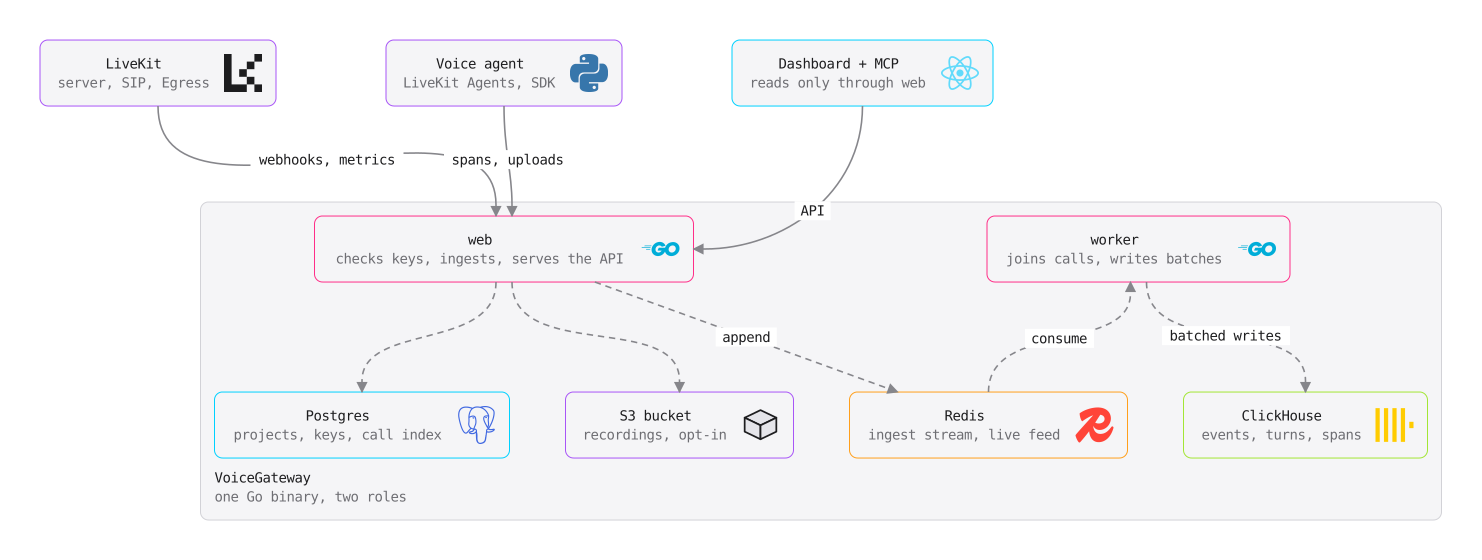
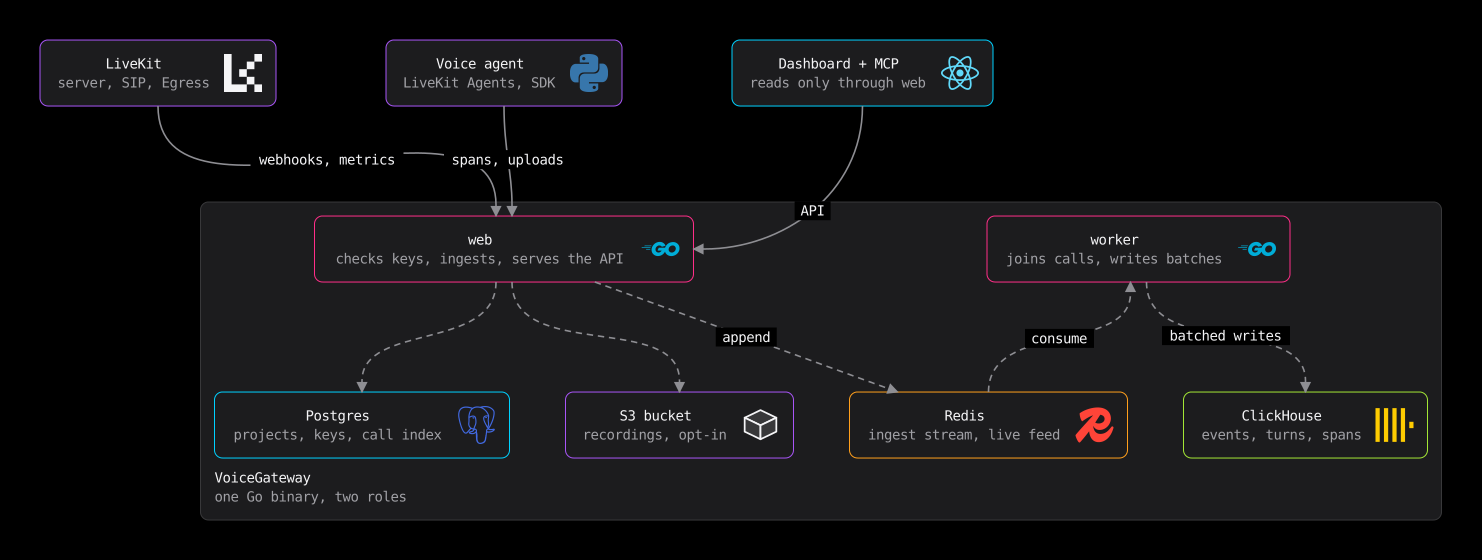
You need Docker, git, make and 10 GB of free disk.
Start it
git clone https://github.com/mahimailabs/voicegateway.git
cd voicegateway
make up
make preflight
The first run writes deploy/.env with fresh random secrets. Keep that file.
Create the first admin
make user-add EMAIL=you@example.comSign in at localhost:8080. On a server, forward the port first with ssh -L 8080:localhost:8080 <server>, or serve VoiceGateway over HTTPS.
How long it takes
Timed on clean machines that already have Docker, git and make, until the console answers:
| Machine | Install |
|---|---|
| Ubuntu 24.04, GitHub Actions runner, 4 cores | 23 s with install.sh (median of five CI runs on 28 October, 20 to 31 s) |
| macOS 26.5.1, Apple M4, 16 GB, Docker Desktop 4.80.0 | 27 s (make up with the published 1.0.0-preview.8 image, cold image cache) |
Most of it is pulling the images, so a slower network takes longer.
make down stops it and keeps your data. The full self-hosting guide covers ports, HTTPS and upgrades.
Was this page helpful?